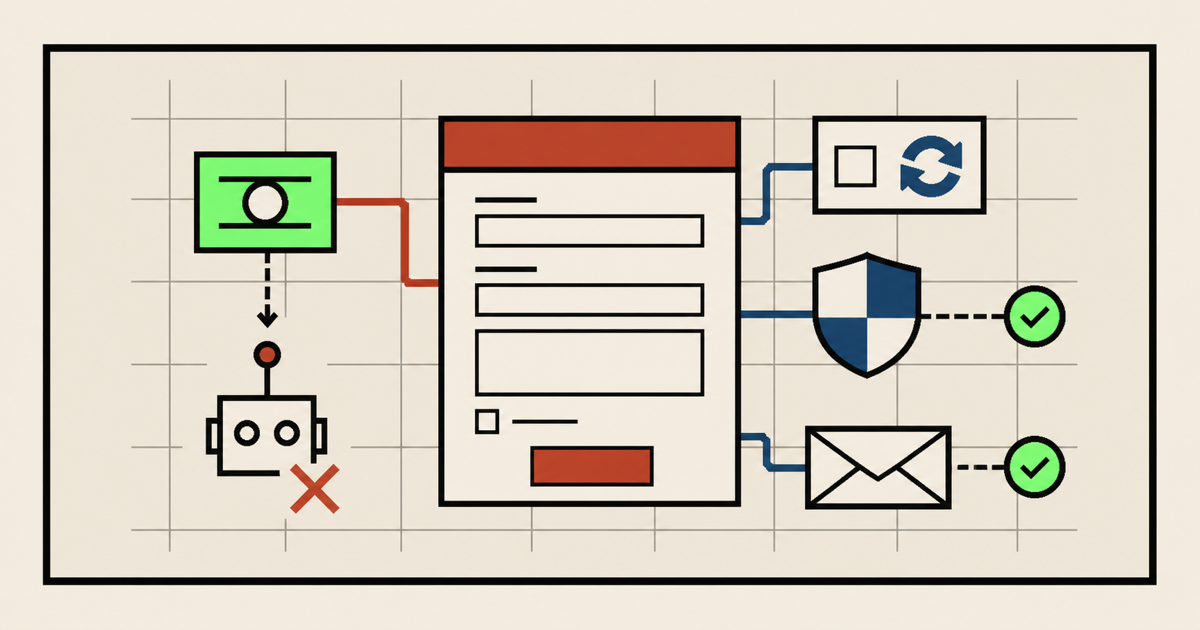
Most website spam comes through contact forms, quote forms, newsletter forms, comment boxes, and login pages. Bots look for a public endpoint, fill every visible field, and submit faster than a real person ever would.
The goal is not to make the form impossible to use. The goal is to make spam expensive for bots while keeping the path easy for real visitors.
Use a honeypot, validate every submission on the server, rate limit repeated attempts, and add CAPTCHA or Cloudflare protection only when the spam volume justifies the extra friction.
Use a honeypot field
A honeypot is a form field that humans should never fill out. You hide it from people with CSS, leave it visible in the HTML, and reject the submission if that field contains anything. Many bots fill every field they find, so this catches simple automated spam without bothering real users.
Implementation:
- Add an extra field with a boring name like
company_urlorwebsite. - Hide it visually, but do not use
display: nonebecause some bots ignore hidden fields. - On the server, reject the message if the field is not empty.
<label class="hp-field">
  Leave this field empty
  <input type="text" name="company_url" tabindex="-1" autocomplete="off">
</label>
.hp-field {
position: absolute;
left: -10000px;
width: 1px;
height: 1px;
overflow: hidden;
}if (formData.get('company_url')) {
return new Response('Rejected', { status: 400 });
}Honeypots are not enough by themselves, but they are cheap, invisible to normal users, and worth adding to most forms.
Add CAPTCHA when needed
CAPTCHA tools try to prove that a visitor is human before accepting a submission. Google reCAPTCHA, hCaptcha, and Cloudflare Turnstile are common options. They are useful when spam is getting through simpler filters, but they add a dependency and can make the form feel heavier.
The basic setup is the same for most CAPTCHA tools:
- Create an account with the CAPTCHA provider. For reCAPTCHA, use a Google account. For hCaptcha, create an hCaptcha account. For Cloudflare Turnstile, use a Cloudflare account.
- Add your website domain inside the provider's dashboard. This tells the provider which site is allowed to use the CAPTCHA.
- Copy the site key into the public form page. This key is safe to show in the browser.
- Store the secret key only on the server, serverless function, or form service. Do not put the secret key in HTML or frontend JavaScript.
- Add the provider's widget or script to the form page so the visitor receives a verification token.
- Send that token with the form submission.
- Verify the token on the server before sending an email, saving data, or triggering automation.
Think of the site key as the public lock and the secret key as the private proof. The browser can request a token, but your backend still has to ask the CAPTCHA provider whether that token is valid.
If you are using a form provider, look for a setting like Spam protection, reCAPTCHA, hCaptcha, or Turnstile in that provider's dashboard. Some form services handle the server-side verification for you. If you built the form yourself, your form endpoint has to do that verification before it accepts the message.
This last step matters. A client-side CAPTCHA widget alone is not protection. For example, Google's reCAPTCHA verification docs explain that the response token must be sent to the verification API, and Cloudflare's Turnstile docs also state that server-side validation is mandatory.
Official implementation references: Google reCAPTCHA server-side verification, hCaptcha docs, and Cloudflare Turnstile server-side validation.
Use Cloudflare protection
Cloudflare can help before the request ever reaches your site. If your DNS runs through Cloudflare, you can use firewall rules, bot protections, rate limiting, managed challenges, and Turnstile.
To use Cloudflare, you first need a Cloudflare account and your domain added to Cloudflare. In plain English, that means you log in at Cloudflare, add your website, and update your domain's nameservers where you bought the domain. Once the nameservers point to Cloudflare, traffic can pass through Cloudflare before it reaches your host.
Cloudflare setup usually looks like this:
- Create or log in to your Cloudflare account.
- Add your domain, such as
example.com. - Review the DNS records Cloudflare imports. Make sure the important records for your website and email are present.
- Copy the Cloudflare nameservers and paste them into your domain registrar, such as GoDaddy, Namecheap, Squarespace Domains, or wherever the domain was purchased.
- Wait for DNS to update. This can be quick, but it is normal for it to take a few hours.
- After Cloudflare is active, turn on the specific protections you need.
For form spam, the most relevant Cloudflare product is often Turnstile. In the Cloudflare dashboard, open Turnstile, create a new widget, add your domain, then copy the site key and secret key. The site key goes in the form page. The secret key goes in your backend or serverless function so it can call Cloudflare's Siteverify endpoint.
<script src="https://challenges.cloudflare.com/turnstile/v0/api.js" async defer></script>

<form method="post" action="/api/contact">
  <input name="name" required>
  <input type="email" name="email" required>
  <textarea name="message" required></textarea>
  <div class="cf-turnstile" data-sitekey="YOUR_PUBLIC_SITE_KEY"></div>
  <button type="submit">Send</button>
</form>
That widget is only the frontend half. Your form endpoint also needs to read the Turnstile token and verify it with Cloudflare using the secret key. If the verification fails, do not send the email and do not save the submission.
Implementation options:
- Cloudflare Turnstile: Add a privacy-friendly challenge to forms, then validate the token on the server.
- Rate limiting: Limit repeated POST requests to your form endpoint from the same IP address or suspicious pattern.
- WAF rules: Challenge or block requests from countries you do not serve, known bad paths, empty user agents, or abusive request patterns.
- Bot Fight Mode or bot rules: Use Cloudflare's bot controls when generic automated traffic is a problem across the whole site.
If DNS, nameservers, keys, or backend verification sound like more than you want to deal with, that is a good reason to get help. We can set up the right option for your site, connect the keys correctly, and test that spam protection works before the form goes live.
Cloudflare is strongest when you combine edge rules with server-side checks. Do not rely on an edge challenge as your only form validation layer.
Ditch the contact form
Sometimes the best anti-spam move is removing the form completely. If your website only needs basic inquiries, replace the contact form with a mailto: link or a generated mailto contact form. The visitor's email app opens, and your site no longer exposes a form endpoint for bots to hammer.
You can build one with the Functional Websites Mailto Contact Form Builder.
Implementation:
<a href="mailto:[email protected]?subject=Website%20Inquiry">
  Email us
</a>
A mailto setup has tradeoffs: it depends on the visitor's email app, it is harder to track conversions, and it may not feel as polished as an embedded form. But for many small business sites, that tradeoff is better than paying for a backend form service and filtering junk all day.
Rate limit form submissions
Rate limiting stops the same source from submitting too many times in a short window. It will not catch every botnet, but it blocks the obvious floods.
Implementation:
- Allow only a small number of form submissions per IP address per minute.
- Use a longer cooldown for repeated failures.
- Return a generic error so attackers do not learn which rule they hit.
- Apply the limit before sending email or calling third-party services.
On static sites, you can often handle this through your form provider, Cloudflare rate limiting, a serverless function, or your backend API gateway.
Validate input on the server
Client-side validation is helpful for user experience, but attackers can skip it. The server must validate every field again before accepting the submission.
Implementation:
- Require only the fields you actually need.
- Set minimum and maximum lengths for each field.
- Use allowlists where possible, especially for dropdowns and hidden values.
- Reject links in message fields if you do not need them.
- Reject messages with too many repeated characters, suspicious HTML, or known spam phrases.
OWASP's Input Validation Cheat Sheet is a good reference for building server-side validation rules.
Watch for code injection
Spam is annoying. Code injection is dangerous. Any form that accepts text can be abused if the backend stores, renders, emails, logs, or forwards that text unsafely.
Common problems include:
- Cross-site scripting: An attacker submits HTML or JavaScript that later appears in an admin panel or public page.
- SQL injection: Form data is placed into a database query without parameterized queries.
- Email header injection: User input is allowed inside email headers like
To,From, orSubject. - Command injection: Form data reaches shell commands, file paths, or automation scripts without strict validation.
Implementation rules:
- Use parameterized database queries.
- Escape output based on where it is rendered: HTML, attribute, URL, JavaScript, or plain text.
- Never trust hidden fields, dropdown values, or disabled inputs.
- Do not put raw form data into email headers.
- Keep secrets, API keys, SMTP credentials, and webhook tokens off the client.
Make spam less profitable
Small details can reduce spam without adding much complexity:
- Add a minimum time check. If the form loads and submits in one second, it is probably not a real person.
- Block duplicate messages sent repeatedly in a short period.
- Log rejected submissions so you can tune rules without guessing.
- Use disposable-email checks only when they fit the business. They can block real people too.
- Keep form endpoints obscure but do not treat obscurity as security.
- Disable comments or public submissions unless they create real business value.
Recommended anti-spam stack
For a normal small business website, start with this order:
- Use a mailto link if you do not truly need an embedded form.
- If you keep the form, add a honeypot field.
- Validate and sanitize everything on the server.
- Rate limit the endpoint.
- Add Cloudflare Turnstile or another CAPTCHA only when simpler defenses are not enough.
- Monitor rejected submissions and adjust carefully.
The best setup is boring: fewer public endpoints, layered validation, no raw input, and no unnecessary friction for real customers. If you want help choosing the right setup or connecting Cloudflare, CAPTCHA, or a safer form workflow, Functional Websites can help.